


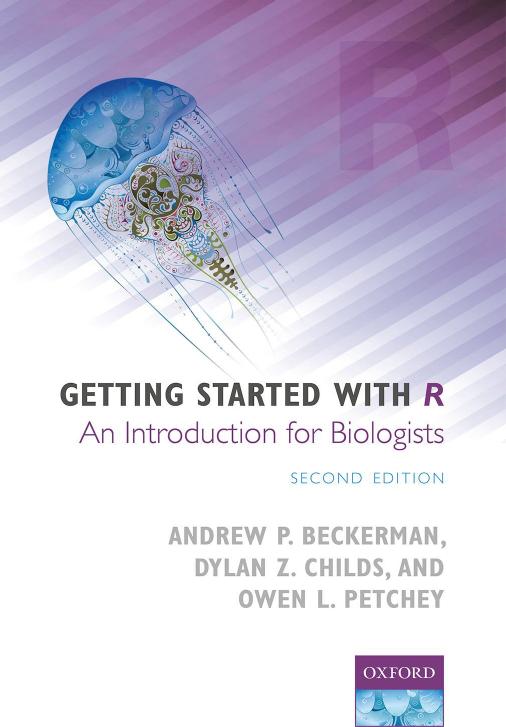
Getting Started with R An Introduction for Biologists 2nd Edition by Andrew Beckerman, Dylan Childs, Owen Petchey ISBN 0198787847 978-0198787846
Original price was: $70.00.$35.00Current price is: $35.00.
Instant download Getting Started with R An Introduction for Biologists 2nd Edition Andrew Beckerman Dylan Childs Owen Petchey after payment
Getting Started with R An Introduction for Biologists 2nd Edition by Andrew Beckerman, Dylan Childs, Owen Petchey – Ebook PDF Instant Download/Delivery: 0198787847, 978-0198787846
Full download Getting Started with R An Introduction for Biologists 2nd edition after payment
Product details:
ISBN 10: 0198787847
ISBN 13: 978-0198787846
Author: Andrew Beckerman, Dylan Childs, Owen Petchey
R is rapidly becoming the standard software for statistical analyses, graphical presentation of data, and programming in the natural, physical, social, and engineering sciences. Getting Started with R is now the go-to introductory guide for biologists wanting to learn how to use R in their research. It teaches readers how to import, explore, graph, and analyse data, while keeping them focused on their ultimate goals: clearly communicating their data in oral presentations, posters, papers, and reports. It provides a consistent workflow for using R that is simple, efficient, reliable, and reproducible.
This second edition has been updated and expanded while retaining the concise and engaging nature of its predecessor, offering an accessible and fun introduction to the packages dplyr and ggplot2 for data manipulation and graphing. It expands the set of basic statistics considered in the first edition to include new examples of a simple regression, a one-way and a two-way ANOVA. Finally, it introduces a new chapter on the generalised linear model.
Getting Started with R is suitable for undergraduates, graduate students, professional researchers, and practitioners in the biological sciences.
Getting Started with R An Introduction for Biologists 2nd Table of contents:
Chapter 1: Getting and Getting Acquainted with R
1.1 Getting started
1.2 Getting R
1.2.1 Linux/Unix
1.2.2 Windows
1.2.3 Macintosh
1.3 Getting RStudio
1.4 Let’s play
1.5 Using R as a giant calculator (the size of your computer)
1.5.1 From the Simple to the Slightly More Complex
1.5.2 Functions Take Arguments
1.5.3 Now for Something Really Important
1.5.4 How Does R Do Stuff with Vectors?
1.6 Your first script
1.6.1 The Script Pane
1.6.2 How Do I Make R Do Stuff, You Ask?
1.6.3 Two More Bits of RStudio Magic
1.7 Intermezzo remarks
1.8 Important functionality: packages
1.8.1 Using the New Functions that Come in a Package
1.9 Getting help
1.10 A mini-practical—some in-depth play
1.11 Some more top tips and hints for a successful first (and more) R experience
1.11.1 Saving and the Workspace Option
1.11.2 Some Nice Things about RStudio
Appendix 1a Mini-tutorial solutions
Appendix 1b File extensions and operating systems
Chapter 2: Getting Your Data into R
2.1 Getting data ready for R
2.1.1 Setting Up Your Own Data
An exercise in data preparation
2.1.2 Someone Else’s Data?
2.2 Getting your data into R
2.2.1 Importing Data, Preparation
2.2.2 Method 1: The Import Dataset Tool
2.2.3 Method 2: The file.choose() Function
2.2.4 Method 3: Dancing with the Import Devil
2.2.5 Method 4: Put Your Data in the Same Place as Your Script
2.3 Checking that your data are your data
2.3.1 Your First Interaction with dplyr
2.4 Basic troubleshooting while importing data
2.5 Summing up
Appendix Advanced activity: dealing with untidy data
Chapter 3: Data Management, Manipulation, and Exploration with dplyr
3.1 Summary statistics for each variable
3.1.1 The Compensation Data
3.1.2 The summary() Function
3.2 dplyr Verbs
3.3 Subsetting
3.3.1 select()
3.3.2 slice()
3.3.3 filter()
Logical operators and booleans
Using filter()
3.3.4 Making Sure You Can Use the Subset of Data
3.3.5 What Should my Script Look Like Now?
3.4 Transforming
3.4.1 mutate()
3.5 Sorting
3.5.1 arrange()
3.6 Mini-summary and two top tips
3.7 Calculating summary statistics about groups of your data
3.7.1 Overview of Summarization
3.7.2 Method 1: Nested, No Pipe
3.7.3 Method 2: Pipe, No Nesting
3.7.4 Summarizing and Extending Summarization
3.8 What have you learned … lots
Appendix 3a Comparing classic methods and dplyr
Appendix 3b Advanced dplyr
Chapter 4: Visualizing Your Data
4.1 The first step in every data analysis—making a picture
4.2 ggplot2: a grammar for graphics
4.2.1 Making a Picture—Scatterplots
4.2.2 Interpretation, then Customize
4.2.3 That Grey Background
4.3 Box-and-whisker plots
4.3.1 A Moment of Interpretive Contemplation …
4.4 Distributions: making histograms of numeric variables
4.4.1 A Nifty Tool: Facets
4.5 Saving your graphs for presentation, documents, etc.
4.6 Closing remarks
Chapter 5: Introducing Statistics in R
5.1 Getting started doing statistics in R
5.1.1 Getting Ready for Some Statistics
5.2 χ2 contingency table analysis
5.2.1 The Data: Ladybirds
5.2.2 Organizing the Data for Plotting and Analysis
5.2.3 New ggplot() Detail
5.2.4 Fixing the Colours
5.2.5 Interpreting the Graph (Guess the Answer Before We Do Stats)
5.2.6 Making the χ2 Test
5.2.7 From Data to Statistics: An Overview
5.3 Two-sample t-test
5.3.1 The T-Test Data
5.3.2 The First Step: Plot Your Data
5.3.3 The Two-Sample T-Test Analysis
5.3.4 T-Test Summary
5.4 Introducing … linear models
5.5 Simple linear regression
5.5.1 Getting and Plotting the Data
5.5.2 Interpreting the Figure: Biological Insight
5.5.3 Making a Simple Linear Regression Happen
5.5.4 Assumptions First
5.5.5 Now the Interpretation
5.5.6 From Stats Back to Figure
5.6 Analysis of variance: the one-way ANOVA
5.6.1 Getting and Plotting the Data
5.6.2 Construct the Anova
5.6.3 Check the Assumptions
5.6.4 Making an Inference from a One-Way Anova
5.6.5 Treatment Contrasts
5.7 Wrapping up
Appendix Getting packages not on CRAN
Chapter 6: Advancing Your Statistics in R
6.1 Getting started with more advanced statistics
6.2 The two-way ANOVA
6.2.1 The Cow (Mooooo!) Growth Data
6.2.2 Step 1: dplyr Summary Data
6.2.3 Step 2: ggplot() Interaction Plot
6.2.4 Interpreting the Figure: Biological Insight
6.2.5 Constructing the Two-Way Anova
6.2.6 Examine the Assumptions
6.2.7 Model Output and More Biology
The ANOVA table
The summary table
6.2.8 Stats Back to Graphics
6.3 Analysis of covariance (ANCOVA)
6.3.1 The limpet Reproduction Data
6.3.2 Always Start with a Picture
6.3.3 Interpreting the Figure—It’s All about Lines
Let’s go a bit deeper
6.3.4 Constructing the Ancova
6.3.5 Assumptions First, So Say the Limpets
6.3.6 Interpretation: The anova() Table
6.3.7 Interpretation: The summary() Table
6.3.8 Putting the Lines Onto the Figure
6.3.9 The Final Picture Using ggplot()
That ggplot code…
6.4 Overview: an Analysis Workflow
Chapter 7: Getting Started with Generalized Linear Models
7.1 Introduction
7.1.1 Counts and Proportions and the GLM
7.1.2 Key Terms for GLM Models
7.2 Counts and rates—Poisson GLMs
7.2.1 Counting Sheep—The Data and Question
7.3 Doing it wrong
7.3.1 Doing it Wrong: Diagnosing the Problems
7.3.2 The Poisson Distribution—A Solution
7.4 Doing it right—the Poisson GLM
7.4.1 Anatomy of a GLM
The family
The linear predictor
The link function
7.4.2 Doing it Right—Actually Fitting the Model
7.4.3 Doing it Right—The Diagnostics
7.4.4 Doing it Right—anova() and summary()
7.4.5 Making a Beautiful Graph
7.5 When a Poisson GLM isn’t good for counts
7.5.1 Overdispersion
7.5.2 Zero Inflation
7.5.3 Transformations Ain’t All Bad
7.6 Summary, and beyond simple Poisson regression
7.6.1 The Link Function Rules
7.6.2 The Workflow Stays the Same
7.6.3 Binomial Models?
Chapter 8: Pimping Your Plots: Scales and Themes in ggplot2
8.1 What you already know about graphs
8.2 Preparation
8.2.1 Did You Know …?
8.3 What you may want to customize
8.4 Axis labels, axis limits, and annotation
8.4.1 Putting Custom Text Inside the Figure
8.5 Scales
8.6 The theme
8.6.1 Some theme() Syntax About the Panels and Gridlines
8.6.2 Some theme() Syntax About Axis Titles and Tick Marks
8.6.3 Discrete-Axis Customizations
8.6.4 Some theme() Syntax about Customizing Legends/Keys
8.7 Summing up
Chapter 9: Closing Remarks: Final Comments and Encouragement
General Appendices
People also search for Getting Started with R An Introduction for Biologists 2nd:
getting started with r an introduction for biologists pdf
borrow getting started with r an introduction for biologists
getting started with r book
getting started with r an introduction for biologists free pdf
introduction to r for biologists
Tags: Andrew Beckerman, Dylan Childs, Owen Petchey, Getting Started, An Introduction