


Test Bank for New Perspectives HTML5 and CSS3 Comprehensive 7th Edition by Patrick Carey – Ebook PDF Instant Download/Delivery: 1305503937, 978-1305503939
Full download New Perspectives HTML5 and CSS3 Comprehensive 7th edition after payment
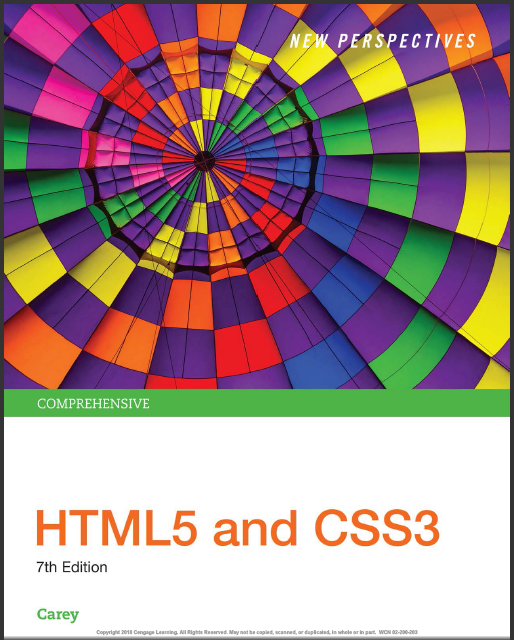
Product details:
ISBN 10: 1305503937
ISBN 13: 978-1305503939
Author: Patrick Carey
Now you can master Web page design as you learn from the unique, hands-on approach found in NEW PERSPECTIVES HTML5 AND CSS3: COMPREHENSIVE, 7E. Each tutorial in this complete book challenges you to put into practice the concepts you have just learned. Every tutorial includes a basic statement of the problem, the goals you should achieve, and a helpful demonstration of how to complete the task to create a fully functional website. You do not need any prior experience with HTML or CSS or any specialized software other than a basic editor and Web browser. With the book’s user-friendly approach, you develop important problem-solving skills as you retain the key concepts and apply what you’ve learned in a professional environment. Successfully completing this book’s tutorial cases and case problems acts a springboard in helping you develop your own professional portfolio to showcase your abilities in website design.
New Perspectives HTML5 and CSS3 Comprehensive 7th Table of contents:
Tutorial 1. Getting Started with HTML5
Session 1.1 Visual Overview: The Structure of an HTML Document
Exploring the World Wide Web
Networks
Locating Information on a Network
Web Pages and Web Servers
Introducing HTML
The History of HTML
Tools for Working with HTML
Testing Your Code
Supporting the Mobile Web
Exploring an HTML Document
The Document Type Declaration
Introducing Element Tags
The Element Hierarchy
Introducing Element Attributes
Handling White Space
Viewing an HTML File in a Browser
Creating an HTML File
Creating the Document Head
Setting the Page Title
Adding Metadata to the Document
Adding Comments to Your Document
Review. Session 1.1 Quick Check
Session 1.2 Visual Overview: HTML Page Elements
Writing the Page Body
Using Sectioning Elements
Comparing Sections in HTML4 and HTML5
Using Grouping Elements
Using Text-level Elements
Linking an HTML Document to a Style Sheet
Working with Character Sets and Special Characters
Character Encoding
Character Entity References
Working with Inline Images
Line Breaks and Other Empty Elements
Working with Block Quotes and Other Elements
Review. Session 1.2 Quick Check
Session 1.3 Visual Overview: Lists and Hypertext Links
Working with Lists
Ordered Lists
Unordered Lists
Description Lists
Navigation Lists
Working with Hypertext Links
Turning an Inline Image into a Link
Specifying the Folder Path
Absolute Paths
Relative Paths
Setting the Base Path
Linking to a Location Within a Document
Marking Locations with the id Attribute
Linking to an id
Anchors and the name Attribute
Linking to the Internet and Other Resources
Linking to a Web Resource
Linking to an E-mail Address
Linking to a Phone Number
Working with Hypertext Attributes
Review. Session 1.3 Quick Check
Practice: Review Assignments
Apply: Case Problem 1
Apply: Case Problem 2
Challenge: Case Problem 3
Create: Case Problem 4
Tutorial 2. Getting Started with CSS
Session 2.1 Visual Overview: CSS Styles and Colors
Introducing CSS
Types of Style Sheets
Viewing a Page Using Different Style Sheets
Exploring Style Rules
Browser Extensions
Embedded Style Sheets
Inline Styles
Style Specificity and Precedence
Style Inheritance
Browser Developer Tools
Creating a Style Sheet
Writing Style Comments
Defining the Character Encoding
Importing Style Sheets
Working with Color in CSS
Color Names
RGB Color Values
HSL Color Values
Defining Semi-Opaque Colors
Setting Text and Background Colors
Employing Progressive Enhancement
Review. Session 2.1 Quick Check
Session 2.2 Visual Overview: CSS Typography
Exploring Selector Patterns
Contextual Selectors
Attribute Selectors
Working with Fonts
Choosing a Font
Exploring Web Fonts
The @font-face Rule
Setting the Font Size
Absolute Units
Relative Units
Scaling Fonts with ems and rems
Using Viewport Units
Sizing Keywords
Controlling Spacing and Indentation
Working with Font Styles
Aligning Text Horizontally and Vertically
Combining All Text Formatting in a Single Style
Review. Session 2.2 Quick Check
Session 2.3 Visual Overview: Pseudo Elements and Classes
Formatting Lists
Choosing a List Style Type
Creating an Outline Style
Using Images for List Markers
Setting the List Marker Position
Working with Margins and Padding
Setting the Padding Space
Setting the Margin and the Border Spaces
Using Pseudo-Classes and Pseudo-Elements
Pseudo-Classes
Pseudo-Classes for Hypertext
Pseudo-Elements
Generating Content with CSS
Displaying Attribute Values
Inserting Quotation Marks
Review. Session 2.3 Quick Check
Practice: Review Assignments
Apply: Case Problem 1
Challenge: Case Problem 2
Challenge: Case Problem 3
Create: Case Problem 4
Tutorial 3. Designing a Page Layout
Session 3.1 Visual Overview: Page Layout with Floating Elements
Introducing the display Style
Creating a Reset Style Sheet
Exploring Page Layout Designs
Fixed, Fluid, and Elastic Layouts
Working with Width and Height
Setting Maximum and Minimum Dimensions
Centering a Block Element
Vertical Centering
Floating Page Content
Clearing a Float
Refining a Floated Layout
Working with Container Collapse
Review. Session 3.1 Quick Check
Session 3.2 Visual Overview: Page Layout Grids
Introducing Grid Layouts
Overview of Grid-Based Layouts
Fixed and Fluid Grids
CSS Frameworks
Setting up a Grid
Designing the Grid Rows
Designing the Grid Columns
Adding the Page Content
Outlining a Grid
Introducing CSS Grids
Defining a CSS Grid
Assigning Content to Grid Cells
Review. Session 3.2 Quick Check
Session 3.3 Visual Overview: Layout with Positioning Styles
Positioning Objects
The CSS Positioning Styles
Relative Positioning
Absolute Positioning
Fixed and Inherited Positioning
Using the Positioning Styles
Handling Overflow
Clipping an Element
Stacking Elements
Review. Session 3.3 Quick Check
Practice: Review Assignments
Apply: Case Problem 1
Apply: Case Problem 2
Challenge: Case Problem 3
Create: Case Problem 4
Tutorial 4. Graphic Design with CSS
Session 4.1 Visual Overview: Backgrounds and Borders
Creating Figure Boxes
Exploring Background Styles
Tiling a Background Image
Attaching the Background Image
Setting the Background Image Position
Defining the Extent of the Background
Sizing and Clipping an Image
The background Property
Adding Multiple Backgrounds
Working with Borders
Setting Border Width and Color
Setting the Border Design
Creating Rounded Corners
Applying a Border Image
Review. Session 4.1 Quick Check
Session 4.2 Visual Overview: Shadows and Gradients
Creating Drop Shadows
Creating a Text Shadow
Creating a Box Shadow
Applying a Color Gradient
Creating a Linear Gradient
Gradients and Color Stops
Creating a Radial Gradient
Repeating a Gradient
Creating Semi-Transparent Objects
Review. Session 4.2 Quick Check
Session 4.3 Visual Overview: Transformations and Filters
Transforming Page Objects
Transformations in Three Dimensions
Understanding Perspective
Exploring CSS Filters
Working with Image Maps
Defining a Client-Side Image Map
Applying an Image Map
Review. Session 4.3 Quick Check
Practice: Review Assignments
Apply: Case Problem 1
Apply: Case Problem 2
Challenge: Case Problem 3
Create: Case Problem 4
Tutorial 5. Designing for the Mobile Web
Session 5.1 Visual Overview: Media Queries
Introducing Responsive Design
Introducing Media Queries
The @media Rule
Media Queries and Device Features
Applying Media Queries to a Style Sheet
Exploring Viewports and Device Width
Creating a Mobile Design
Creating a Pulldown Menu with CSS
Testing Your Mobile Website
Creating a Tablet Design
Creating a Desktop Design
Review. Session 5.1 Quick Check
Session 5.2 Visual Overview: Flexbox Layouts
Introducing Flexible Boxes
Defining a Flexible Box
Cross-Browser Flexboxes
Setting the Flexbox Flow
Working with Flex Items
Setting the Flex Basis
Defining the Flex Growth
Defining the Shrink Rate
The Flex Property
Applying a Flexbox Layout
Reordering Page Content with Flexboxes
Exploring Flexbox Layouts
Aligning Items Along the Main Axis
Aligning Flex Lines
Aligning Items Along the Cross Axis
Creating a Navicon Menu
Review. Session 5.2 Quick Check
Session 5.3 Visual Overview: Print Styles
Designing for Printed Media
Previewing the Print Version
Applying a Media Query for Printed Output
Working with the @page Rule
Setting the Page Size
Using the Page Pseudo-Classes
Page Names and the Page Property
Formatting Hypertext Links for Printing
Working with Page Breaks
Preventing Page Breaks
Working with Widows and Orphans
Review. Session 5.3 Quick Check
Practice: Review Assignments
Apply: Case Problem 1
Apply: Case Problem 2
Challenge: Case Problem 3
Create: Case Problem 4
Tutorial 6. Working with Tables and Columns
Session 6.1 Visual Overview: Structure of a Web Table
Introducing Web Tables
Marking Tables and Table Rows
Marking Table Headings and Table Data
Adding Table Borders with CSS
Spanning Rows and Columns
Creating a Table Caption
Review. Session 6.1 Quick Check
Session 6.2 Visual Overview: Rows and Column Groups
Creating Row Groups
Creating Column Groups
Exploring CSS Styles and Web Tables
Working with Width and Height
Applying Table Styles to Other Page Elements
Tables and Responsive Design
Designing a Column Layout
Setting the Number of Columns
Defining Columns Widths and Gaps
Managing Column Breaks
Spanning Cell Columns
Review. Session 6.2 Quick Check
Practice: Review Assignments
Apply: Case Problem 1
Apply: Case Problem 2
Challenge: Case Problem 3
Create: Case Problem 4
Tutorial 7. Designing a Web Form
Session 7.1 Visual Overview: Structure of a Web Form
Introducing Web Forms
Parts of a Web Form
Forms and Server-Based Programs
Starting a Web Form
Interacting with the Web Server
Creating a Field Set
Marking a Field Set
Adding a Field Set Legend
Creating Input Boxes
Input Types
Input Types and Virtual Keyboards
Adding Field Labels
Designing a Form Layout
Defining Default Values and Placeholders
Review. Session 7.1 Quick Check
Session 7.2 Visual Overview: Web Form Widgets
Entering Date and Time Values
Creating a Selection List
Working with Select Attributes
Grouping Selection Options
Creating Option Buttons
Creating Check Boxes
Creating a Text Area Box
Review. Session 7.2 Quick Check
Session 7.3 Visual Overview: Data Validation
Entering Numeric Data
Creating a Spinner Control
Creating a Range Slider
Suggesting Options with Data Lists
Working with Form Buttons
Creating a Command Button
Creating Submit and Reset Buttons
Designing a Custom Button
Validating a Web Form
Identifying Required Values
Validating Based on Data Type
Testing for a Valid Pattern
Defining the Length of the Field Value
Applying Inline Validation
Using the focus Pseudo-Class
Pseudo-Classes for Valid and Invalid Data
Review. Session 7.3 Quick Check
Practice: Review Assignments
Apply: Case Problem 1
Apply: Case Problem 2
Challenge: Case Problem 3
Create: Case Problem 4
Tutorial 8. Enhancing a Website with Multimedia
Session 8.1 Visual Overview: Playing Web Audio
Introducing Multimedia on the Web
Understanding Codecs and Containers
Understanding Plug-Ins
Working with the audio Element
Browsers and Audio Formats
Applying Styles to the Media Player
Providing a Fallback to an Audio Clip
Exploring Embedded Objects
Plug-In Attributes
Plug-Ins as Fallback Options
Review. Session 8.1 Quick Check
Session 8.2 Visual Overview: Playing Web Video
Exploring Digital Video
Video Formats and Codecs
Using the HTML5 video Element
Adding a Text Track to Video
Making Tracks with WebVTT
Placing the Cue Text
Applying Styles to Track Cues
Using Third-Party Video Players
Exploring the Flash Player
Embedding Videos from YouTube
HTML5 Video Players
Review. Session 8.2 Quick Check
Session 8.3 Visual Overview: Transitions and Animations
Creating Transitions with CSS
Introducing Transitions
Setting the Transition Timing
Delaying a Transition
Creating a Hover Transition
Animating Objects with CSS
The @keyframes Rule
Applying an Animation
Controlling an Animation
Review. Session 8.3 Quick Check
Practice: Review Assignments
Apply: Case Problem 1
Apply: Case Problem 2
Challenge: Case Problem 3
Challenge: Case Problem 4
Tutorial 9. Getting Started with JavaScript
Session 9.1 Visual Overview: Creating a JavaScript File
Introducing JavaScript
Server-Side and Client-Side Programming
The Development of JavaScript
Working with the script Element
Loading the script Element
Inserting the script Element
Creating a JavaScript Program
Adding Comments to your JavaScript Code
Writing a JavaScript Command
Understanding JavaScript Syntax
Debugging your Code
Opening a Debugger
Inserting a Breakpoint
Applying Strict Usage of JavaScript
Review. Session 9.1 Quick Check
Session 9.2 Visual Overview: JavaScript Variables and Dates
Introducing Objects
Object References
Referencing Object Collections
Referencing an Object by ID and Name
Changing Properties and Applying Methods
Object Properties
Applying a Method
Writing HTML Code
Working with Variables
Declaring a Variable
Variables and Data Types
Using a Variable
Working with Date Objects
Creating a Date Object
Applying Date Methods
Setting Date and Time Values
Review. Session 9.2 Quick Check
Session 9.3 Visual Overview: JavaScript Functions and Expressions
Working with Operators and Operands
Using Assignment Operators
Calculating the Days Left in the Year
Working with the Math Object
Using Math Methods
Using Math Constants
Working with JavaScript Functions
Calling a Function
Creating a Function to Return a Value
Running Timed Commands
Working with Time-Delayed Commands
Running Commands at Specified Intervals
Controlling How JavaScript Works with Numeric Values
Handling Illegal Operations
Defining a Number Format
Converting Between Numbers and Text
Review. Session 9.3 Quick Check
Practice: Review Assignments
Apply: Case Problem 1
Apply: Case Problem 2
Challenge: Case Problem 3
Challenge: Case Problem 4
Tutorial 10. Exploring Arrays, Loops, and Conditional Statements
Session 10.1 Visual Overview: Creating and Using Arrays
Introducing the Monthly Calendar
Reviewing the Calendar Structure
Adding the calendar() Function
Introducing Arrays
Creating and Populating an Array
Working with Array Length
Reversing an Array
Sorting an Array
Extracting and Inserting Array Items
Using Arrays as Data Stacks
Review. Session 10.1 Quick Check
Session 10.2 Visual Overview: Applying a Program Loop
Working with Program Loops
Exploring the for Loop
Exploring the while Loop
Exploring the do/while Loop
Comparison and Logical Operators
Program Loops and Arrays
Array Methods to Loop Through Arrays
Running a Function for Each Array Item
Mapping an Array
Filtering an Array
Review. Session 10.2 Quick Check
Session 10.3 Visual Overview: Conditional Statements
Introducing Conditional Statements
Exploring the if Statement
Nesting if Statements
Exploring the if else Statement
Using Multiple else if Statements
Completing the Calendar App
Setting the First Day of the Month
Placing the First Day of the Month
Writing the Calendar Days
Highlighting the Current Date
Displaying Daily Events
Managing Program Loops and Conditional Statements
Exploring the break Command
Exploring the continue Command
Exploring Statement Labels
Review. Session 10.3 Quick Check
Practice: Review Assignments
Apply: Case Problem 1
Apply: Case Problem 2
Challenge: Case Problem 3
Create: Case Problem 4
Appendix A. Color Names with Color Values, and HTML Character Entities
Section Content
Appendix B. HTML Elements and Attributes
General Attributes
Core Attributes
Language Attributes
Form Attributes
Event Attributes
Core Events
Document Events
Form Events
Drag and Drop Events
Multimedia Events
HTML Elements and Attributes
Appendix C. Cascading Styles and Selectors
Selectors
Pseudo-Elements and Pseudo-Classes
@ Rules
Miscellaneous Syntax
Units
Attributes and Values
Appendix D. Making the Web More Accessible
Working with Section 508 Guidelines
Graphics and Images
Multimedia
Color
Style Sheets
Image Maps
Tables
Frame Sites
Animation and Scrolling Text
Scripts, Applets, and Plug-Ins
Web Forms
Links
Timed Responses
Providing a Text-Only Equivalent
Understanding the Web Accessibility Initiative
Checking Your Web Site for Accessibility
Appendix E. Designing for the Web
Linear Structures
Linear Structures
Hierarchical Structures
Mixed Structures
Protected Structures
Appendix F. Page Validation with XHTML
Introducing XHTML
XML
Starting an XHTML Document
Creating Well-Formed Documents
Creating Valid XHTML Documents
Transitional, Frameset, and Strict DTDs
The Valid Use of Attributes
Inserting the DOCTYPE Declaration
Setting the XHTML Namespace
Validating a File on the Web
Conclusion
People also search for New Perspectives HTML5 and CSS3 Comprehensive 7th:
new perspectives html5 and css3 comprehensive 7th edition
new perspectives html5 and css3 comprehensive 7th edition pdf free
new perspectives html5 and css3 comprehensive 8th edition
new perspectives html5 and css3 comprehensive 8th edition pdf free
new perspectives html5 and css3 comprehensive pdf